FreeGifTools

Reverse a GIF

Upload your GIF and reverse your GIF animation to play backwards.

Drop your GIF here

or click to browse your files

Supports: GIF • Max 50MB per file

Free Online Reverse GIF Tool - Reverse Animated GIF Frames

Transform your animated GIF files by reversing their frames with our free online reverse GIF tool. Whether you need to reverse GIF animation for creative effects, boomerang videos, or simply want to see your animation play backwards, our advanced FFmpeg-powered GIF reverser delivers instant results without any watermarks.

Our reverse GIF online tool supports unlimited file sizes and provides instant reversal without requiring registration or software downloads. Reverse animated GIF frames with our GIF editor online free tool, ensuring complete privacy as all processing happens locally in your browser.

The reversed GIF maintains the original animation quality while playing all frames in reverse order. Perfect for social media content, creative projects, and adding unique reverse GIF effects to your animations. Use our GIF reverse tool online to create engaging reverse animated images without any technical knowledge.

Why Choose Our Reverse GIF Tool?

Quality Preservation

Reverse GIF frames while maintaining original quality, frame rate, and animation smoothness. Our GIF reverse effect preserves all visual details perfectly.

Fast & Free Reversal

No registration required, no watermarks, and unlimited reversals. Our reverse GIF online free tool processes files quickly using WebAssembly technology.

Privacy & Security

All GIF reversal happens locally in your browser. Your files never leave your device, ensuring complete privacy and data security with our GIF editor online.

No Watermark

Reverse GIF without watermark - all reversed GIFs are completely watermark-free. Use our reverse GIF tool online free for professional results.

Instant Processing

Reverse animated GIF files instantly with our GIF reverser. Perfect for content creators, marketers, and anyone working with GIF animations.

Cross-Platform Support

Works on Windows, Mac, Linux, iOS, and Android. Reverse GIF on any device with a modern web browser supporting WebAssembly.

How to Compress a GIF

How to Compress a GIF

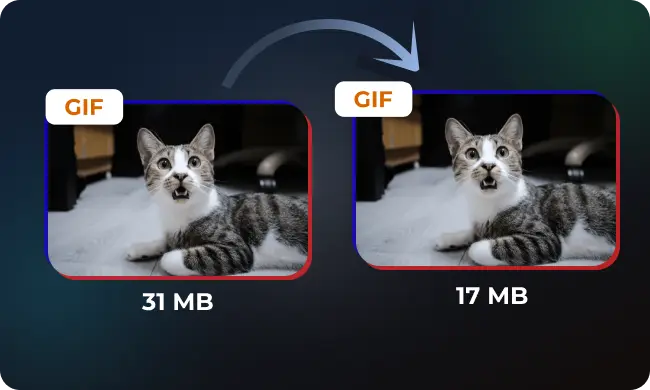
Learn how to compress GIFs effectively while maintaining quality. Simple techniques to reduce file size for faster loadi...

Read more
Role of GIF in Marketing

Role of GIF in Marketing

A detailed look at how brands use GIFs in Marketing to boost communication...

Read more

How to Reverse a GIF Online - Step by Step Guide

1

Upload Your GIF

Select or drag and drop your animated GIF file. Our reverse GIF tool supports all GIF formats and file sizes for seamless GIF frame reversal.

2

Reverse GIF

Click the reverse button to start the GIF reversal process. Our FFmpeg engine processes your file and reverses all GIF frames instantly.

3

Download Reversed GIF

Download your reversed GIF instantly. The output file maintains original quality and is ready to use for social media, websites, or creative projects.

Popular Use Cases for Reverse GIF Tool

Social Media Content

  • • Create reverse GIF effects for Instagram posts and stories
  • • Reverse animated GIFs for Facebook and Twitter sharing
  • • Generate boomerang effects for TikTok and YouTube Shorts
  • • Add creative reverse animation effects to social media content

Creative Projects

  • • Reverse GIF frames for artistic animations
  • • Create unique reverse GIF effects for digital art
  • • Generate boomerang-style animations from existing GIFs
  • • Experiment with reverse animation effects

Web Development

  • • Add reverse GIF animations to websites
  • • Create interactive hover effects with reversed GIFs
  • • Enhance user experience with reverse animation effects
  • • Optimize GIF animations for web use

Marketing & Presentations

  • • Reverse GIF animations for marketing campaigns
  • • Create engaging reverse animated images for presentations
  • • Generate attention-grabbing reverse GIF effects
  • • Enhance visual content with reverse animation

Frequently Asked Questions - Reverse GIF Tool

Q: Is this reverse GIF tool completely free?
A: Yes, our GIF reverser is 100% free to use. There are no hidden fees, registration requirements, or reversal limits. You can reverse unlimited GIF files without any restrictions or watermarks on the output.
Q: Can I reverse animated GIFs without losing quality?
A: Absolutely! Our reverse GIF tool preserves the original quality of your animated GIF while reversing all frames. The reversed GIF maintains the same quality, frame rate, and animation smoothness as the original.
Q: Are my GIF files uploaded to your servers during reversal?
A: No, all GIF reversal happens locally in your browser using WebAssembly technology. Your files never leave your device or get uploaded to our servers. This ensures complete privacy, data security, and faster processing times.
Q: Can I reverse GIF frames to create a reverse animation effect?
A: Yes! Our tool reverses all GIF frames in the correct order, creating a smooth reverse animation effect. Perfect for creating boomerang effects or reversing GIF animations for creative purposes.
Q: Which browsers support the reverse GIF tool?
A: Our reverse GIF tool works in all modern browsers that support WebAssembly, including Google Chrome, Mozilla Firefox, Safari, Microsoft Edge, and Opera. JavaScript must be enabled for the tool to function. Mobile browsers on iOS and Android are also fully supported.
Q: What's the maximum file size I can reverse?
A: Our reverse GIF tool supports files up to 100MB in size. This limit ensures smooth processing in your browser while accommodating most GIF files. For larger files, consider using desktop software or breaking long animations into shorter segments.
Q: Can I reverse GIF without watermark?
A: Yes! All reversed GIFs are completely watermark-free. Our reverse GIF online free tool produces clean, professional results without any watermarks or branding on your reversed animated images.
Q: How long does it take to reverse a GIF?
A: Reversal time depends on the GIF file size, complexity, and your device's processing power. Most GIF files reverse within 10 seconds to 1 minute. Small GIFs (under 5MB) typically reverse in under 10 seconds, while larger, more complex animated GIFs may take up to a minute to process completely.
Q: What is a GIF reverse effect?
A: A GIF reverse effect is when all frames of an animated GIF are played in reverse order, creating a backwards animation. This effect is popular for creating boomerang-style animations, creative visual effects, and engaging social media content.

Technical Specifications - Reverse GIF Tool

Input Format Support

  • • Animated GIF files (.gif)
  • • Static GIF images
  • • High-resolution GIFs up to 4K
  • • Variable frame rate GIFs
  • • Transparent and non-transparent GIFs

Output Specifications

  • • Format: GIF (same as input)
  • • Quality: Original quality preserved
  • • Frame Rate: Original frame rate maintained
  • • Animation: All frames reversed in order
  • • No quality loss during reversal

Explore More GIF Tools

GIF Compressor

Reduce your GIF file sizes while maintaining quality with our advanced compression technology.

Video to GIF

Convert your videos to high-quality GIF animations with customizable settings.