
Transform Your Videos
into GIFs in Seconds
Upload your MP4, WebM, or MOV video, trim the part you need, and convert it into a high-quality GIF instantly.
Super Fast
Secure & Private
High Quality

Loading Video Converter
Initializing browser FFmpeg engine for private video processing...
How to Convert Video to GIF
Create GIFs in just 4 simple steps.
Upload Video
Upload your MP4, WebM, or MOV video (max 15s).
Support for all major video formats including MP4, MOV, WEBM, MKV, OGG, and AVI
Edit (Optional)
Trim the part you want and adjust settings.
Full editing suite with trimming, timing, and smooth loop controls
Convert
Click convert and we'll create your GIF instantly.
Lightning-fast processing with advanced compression algorithms
Download
Preview and download your high-quality GIF.
High-quality output with no watermarks or hidden file limits
For even more customization options after converting your video, check out our GIF Editor. You can further edit, enhance, and add effects to your GIFs with ease!
Start Converting NowKey Features of Our Video to GIF Converter
Experience the most comprehensive GIF maker with advanced features for professional results.
Multiple Video Formats Supported
Whether your files are in MP4, MOV, WEBM, MKV, OGG, or AVI format, our tool handles them with ease. Turn clips into animations without worrying about compatibility issues.
Upload Unlimited Video Files
There's no limit to how many videos you can upload. Our tool can combine multiple video clips into one seamless GIF, giving you full creative control. Simply upload all your files, and we'll handle the rest!
Crop and Edit Videos
Want to focus on a specific part of the video? No problem! You can crop the video to your desired frame, ensuring that your GIF highlights only the best moments.
FPS (Frames Per Second) Adjustments
Control the smoothness of your animation by adjusting the FPS. Whether you want a super-smooth result or something a bit more choppy for effect, you have the power to customize the frame rate.
Rotate and Flip Videos
Need to rotate your video or flip it horizontally or vertically before converting it into a GIF? Our tool lets you do that easily, ensuring your GIF looks exactly how you want it.
Trim Video Frames
Trim the beginning or end of your clip to create an animation that's just the right length. No need to keep unnecessary frames—just select the part that matters most.
Add Animations and Text
Make your GIF even more engaging by adding animations or text. With over 50 fonts and 20+ animations (like popup, zoom-in, and zoom-out), you can add flair and make your GIFs truly unique.
High-Quality Output
Our advanced compression algorithms ensure your GIFs maintain excellent quality while keeping file sizes optimized for web sharing and social media platforms.
Browser-Based Processing
All processing happens directly in your browser for maximum privacy and security. Your videos never leave your device, ensuring complete data protection.
Total Control Over Your GIFs
From cropping to trimming, and even adding creative effects, our editing features give you full control over how your final animation turns out. No matter the original format, you'll have the freedom to edit and adjust as needed, ensuring a perfect result every time.
- ✓ Professional editing tools for precise control
- ✓ Real-time preview of your changes
- ✓ Advanced compression settings
- ✓ Custom frame rate and quality options
Security & Privacy
Browser-Side Processing
All processing happens on your device
100% Free Service
No hidden fees or subscriptions
Maximum Privacy
Your files never leave your device
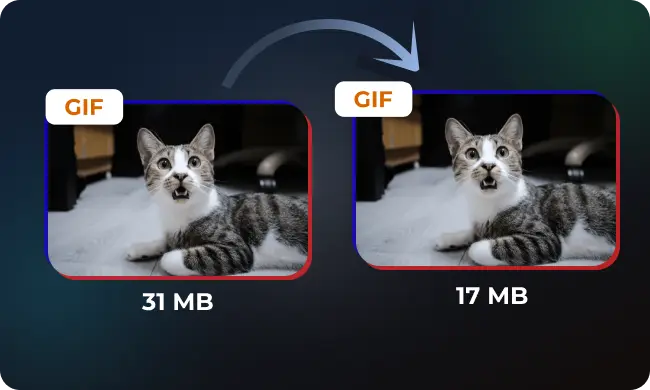
How to Compress a GIF
Learn how to compress GIFs effectively while maintaining quality. Simple techniques to reduce file size for faster loadi...
Best Settings for Optimal Quality and File Size
Learn the optimal settings for converting videos to GIFs with perfect balance of quality and file size. Complete guide w...
Why Choose Our Video to GIF Converter?
Experience the ultimate creation tool that combines speed, quality, and ease of use. Perfect for making quick loops for social media, presentations, and more.
Fast and Efficient
Get your GIF in seconds with just a few clicks. Our optimized processing ensures lightning-fast conversion speeds.
Supports All Major Formats
Easily process a wide variety of video files. Compatible with MP4, MOV, AVI, WEBM, MKV, and other popular formats.
Creative Customization
Add text, animations, crop, and trim videos before converting. Over 50 fonts and 20+ animation effects available.
Unlimited Uploads
Combine multiple videos into one GIF with no limits. Upload as many files as you need for your project.
High-Quality Output
Create smooth, high-resolution GIFs with ease. Advanced compression maintains quality while optimizing file size.
Free and Secure
Enjoy a completely free service with top-level privacy protection. No watermarks, no subscriptions, no hidden fees.
Whether you're making a meme, showcasing a clip, or just having fun, our tool suite gives you everything you need to create quickly, easily, and for free. Start creating today and enjoy total creative freedom!
Ready to get started? Upload your files, click "Convert Video to GIF," and watch your uploads transform into high-quality animations in seconds!
Video to GIF Conversion Benchmarks & File Size Analysis
See how different video containers, resolutions, and framerate settings impact output file size and visual fidelity.
| Source Clip & Container | Input Specs | Original Size | Conversion Settings | Final GIF Size | Compression Ratio |
|---|---|---|---|---|---|
| 1080p MP4 (Screencast / UI) | 1920×1080 (6s, 60fps) | 15.4 MB | 15 fps · 480px width | 2.3 MB | -85.1% |
| 4K iPhone MOV (Live Action) | 3840×2160 (4s, 30fps) | 32.8 MB | 12 fps · 360px width | 1.8 MB | -94.5% |
| 720p WebM (Demo Video) | 1280×720 (8s, 30fps) | 7.2 MB | 10 fps · 540px width | 1.6 MB | -77.8% |
| Short Meme Clip (Fast Motion) | 1080×1080 (3s, 30fps) | 4.5 MB | 18 fps · 320px width | 980 KB | -78.2% |
Recommended GIF Settings by Platform
Optimize dimensions, duration, and file limits for seamless playback across social media, chat apps, and email.
Discord
Ensure your GIF stays under the 10 MB free upload limit. For animated avatars or server reactions, 15 FPS at 256px width provides instant playback.
Discord Size Limits Guide →• Max Size: 10 MB (Free)
• Ideal Size: 256×256 px / 15 FPS
Slack Emojis
Slack custom emojis require square dimensions and a strict 128 KB file limit. Use 128x128px with 10-12 FPS for perfect custom reactions.
Slack 128KB Emoji Guide →• Max Size: 128 KB limit
• Ideal Size: 128×128 px square
Email Campaigns
Email clients like Outlook and Gmail can lag on large media. Keep newsletter GIFs under 2 MB and 480px width to ensure high deliverability.
Email GIFs Best Practices →• Recommended: < 2.0 MB
• Ideal Width: 480px - 600px
GitHub & Docs
For repository README files and documentation, keep files under 3.5 MB with 12 FPS so pages load swiftly on mobile and desktop connections.
• Target: < 3.5 MB
• Framerate: 10–12 FPS
How Our Free Video to GIF Converter Works
Unlike traditional converter websites that upload your personal media to third-party servers, FreeGifTools processes everything locally in your web browser.
Client-Side Privacy
Your video never leaves your device. All decoding and GIF rendering happens inside your browser sandbox.
WebAssembly FFmpeg
Powered by WebAssembly (WASM) for near-native hardware encoding speeds directly utilizing your multi-core CPU.
Zero Watermarks & Sign-ups
Export unbranded, high-definition animated GIFs completely free with zero registration or hidden subscription paywalls.
Frequently Asked Questions
Everything you need to know about our free video to GIF conversion tool.
Explore More GIF Tools
Featured In & Directory Partners
Recognized Across Web Tool Platforms